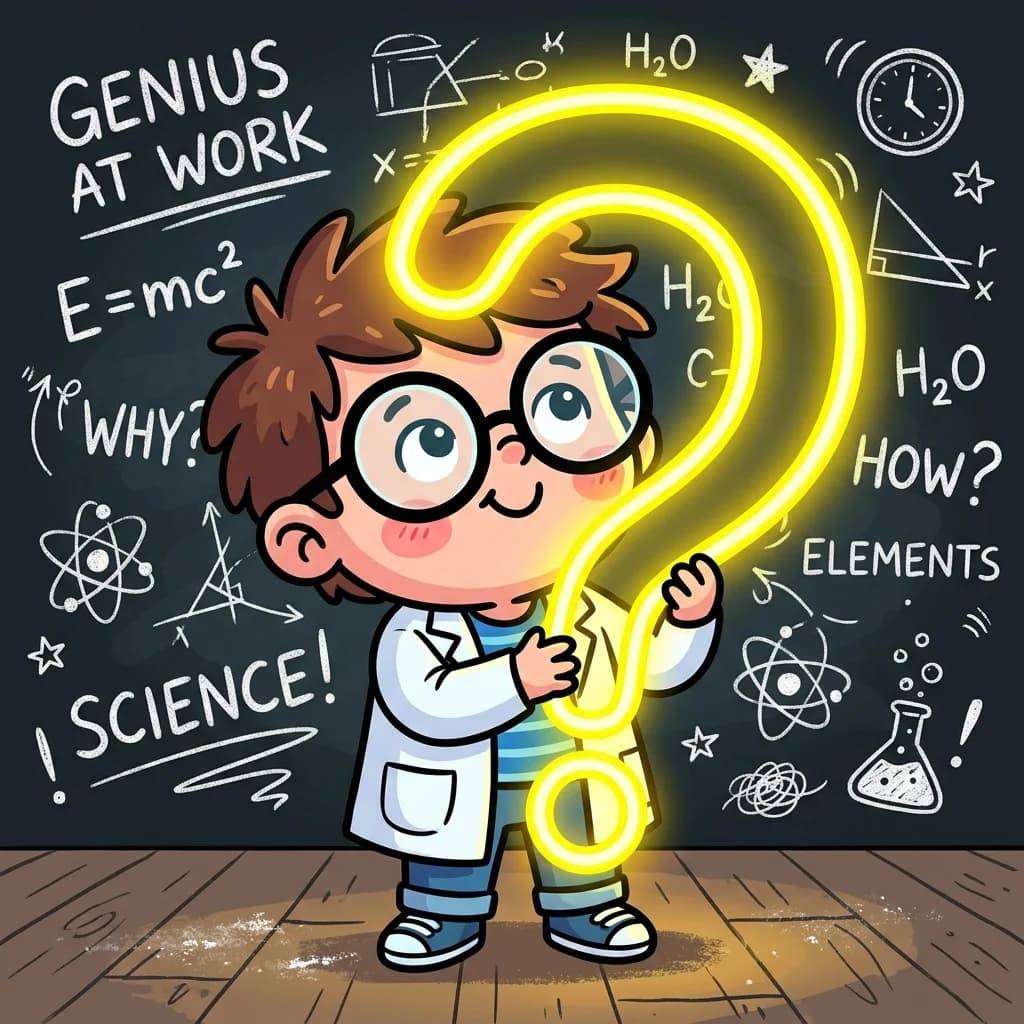
Baby Scientist Thumbnail: Master the 9:16 Viral Click Formula 🧪✨
Ever swiped through YouTube Shorts or TikTok and wondered why some video thumbnails practically grab your thumb by force and demand a click, while others look like a gray blur that you swipe past in 0.1 seconds? Today, Teacher Santa is activating the classroom time-machine's visual prompt mainframe. Along with Student Banta (the resident clickbait aesthetic rizzler) and Grandpa (who still thinks a thumbnail is literal fingernail art), we are launching a highly advanced digital experiment! We are coding the ultimate viral thumbnail: **A Baby Scientist Holding A Glowing Question Mark**, formatted as a vertical 9:16 layouts with **One Big Readable Hook**! Strap in, fr—it's time to compile some pixel aura!
But before we boot the prompting portal, let's lock in the structural science of thumbnail prompting. Click-Through Rate (CTR) on mobile feeds is determined by three core rules: native mobile ratios ('--ar 9:16'), high-contrast subject highlights (neon glow on dark backgrounds), emotional subject gaze, and negative space control ('--no text, watermarks'). Let's unlock the viral image prompting code in 10 hilarious cartoon scenes!
Scene 1: The Thumbnail Clutter Trap 😵

Story Beat: Banta shows off a thumbnail containing 50 tiny elements and three paragraphs of text. Santa explains that mobile scrolling is too fast for cluttered layouts.
Dialogue:
Student Banta: "Bro, my thumbnail has a complete explanation of quantum physics, 50 icons, and three text blocks, fr! It's an absolute masterpiece of information rizz, no cap!"
Teacher Santa: "Banta, lock in! Mobile scroll speed is 0.2 seconds! If they need a magnifying glass to read your thumbnail, they already swiped past your entire video mainframe!"
Grandpa: "Magnifying glass? Back in my day, we read newspapers in microscopic font sizes, and we liked it, boy!"
Alt Text: Student Banta holding a giant, comically unreadable blueprint sheet, while Teacher Santa holds a magnifying glass in disbelief.
Prompt: Expressive cartoon scene. Student Banta holding a giant, comically unreadable blueprint poster sheet full of scribbled text blocks and 50 tiny cartoon symbols, while Teacher Santa holds a magnifying glass in complete disbelief. Bold lines, rich pastel yellow background, handwritten 3D caption "Visual Clutter Trap!".
Handwritten Caption: "Visual Clutter Trap!"
Hashtags: #VisualClutter #MobileCTR #ThumbnailHacks #MemeSchool #Dykbro
Scene 2: Locking the 9:16 Frame 📐

Story Beat: Tutor-Bot teaches the aspect ratio parameter. Banta locks the layout to vertical frame by appending '--ar 9:16' to fit mobile screen formats natively.
Dialogue:
Tutor-Bot: "Target mobile layouts! Append '--ar 9:16' to force your canvas into a vertical smartphone format natively!"
Student Banta: "Bet! No more horizontal landscape borders squishing our mobile shorts thumbnails, fr!"
Grandpa: "Vertical frame? I tried looking through this cardboard slot, and I can only see my own nose! Is this what the kids call a vertical selfie?"
Alt Text: Grandpa trying to look through a comically narrow vertical cardboard frame, while Tutor-Bot and Banta watch in amusement.
Prompt: Vibrant vector comic. Grandpa trying to look through an extremely narrow, vertical 9:16 cardboard photo frame that only fits his nose, while the cute robot tutor waves in amusement. Bold outlines, bright pastel pink background, handwritten 3D caption "9:16 Aspect Frame!".
Handwritten Caption: "9:16 Aspect Frame!"
Hashtags: #AspectRatio #VerticalShorts #MidjourneyParameters #SchoolFails #Dykbro
Scene 3: The Cute Baby Scientist Formula 👶🧪

Story Beat: Selecting the subject. Expressive cute cartoon characters—like a chibi baby scientist—trigger high emotional appeal and click curiosity.
Dialogue:
Teacher Santa: "Subject selection is key! A cute, highly expressive chibi character—like a baby scientist—triggers immediate emotional appeal and click-through curiosity!"
Student Banta: "Look at his giant lab goggles and tiny coat, fr! He has absolute maximum cute aura! 100% clickbait rizz, fr fr!"
Grandpa: "Baby scientist? In my day, babies were too busy crying and eating dirt to worry about chemical formulas, boy!"
Alt Text: A cute cartoon baby scientist character in oversized round glasses, holding a colorful bubbling flask while Banta cheers.
Prompt: Chibi 2D cartoon illustration. A cute baby scientist character with oversized round glasses, a tiny lab coat, holding a colorful bubbling flask, Banta gesturing in adoration. Bold outlines, soft pastel mint background, handwritten 3D caption "Baby Sci Rizz!".
Handwritten Caption: "Baby Sci Rizz!"
Hashtags: #ChibiScientist #CharacterDesign #VisualRizz #MemeAesthetic #Dykbro
Scene 4: The Glowing Question Mark Hook ❓✨

Story Beat: Adding the central curiosity hook. A glowing neon yellow question mark casts high-contrast highlights on the baby's face, driving visual mystery.
Dialogue:
Tutor-Bot: "Spawn high-contrast focal highlights! Command the subject to hold a massive glowing neon yellow question mark to direct ambient lighting and spark deep user curiosity!"
Student Banta: "Yo! The neon glow casting yellow highlights on his cute face is next-level graphics processing! It pops off the dark background, fr!"
Grandpa: "A glowing question mark? I could use one of those in the basement to find where your grandmother hid the lawn mower!"
Alt Text: A cute chibi baby scientist holding a massive, bright neon yellow question mark that casts warm light reflections on his face, while Grandpa wears sunglasses.
Prompt: Expressive cartoon scene. The cute baby scientist holding a comically massive, glowing neon yellow question mark that casts bright reflections on his face, Grandpa looking in awe while wearing dark sunglasses. Bold outlines, rich pastel purple background, handwritten 3D caption "Glowing Curiosity!".
Handwritten Caption: "Glowing Curiosity!"
Hashtags: #VisualHooks #NeonLighting #ContrastDesign #ClickbaitSecrets #Dykbro
Scene 5: The "No Text" Parameter Shield 🛡️

Story Beat: Banta tries to let the AI render the text directly, resulting in unreadable alien gibberish. Santa explains why they must use '--no text' parameter shield.
Dialogue:
Teacher Santa: "Avoid letting AI compile your layout text! It usually generates distorted, unreadable alien gibberish. Always append '--no text, watermark'!"
Student Banta: "Oh! I forgot the no-text shield and my baby scientist thumbnail says 'HJGDFDJK'! The visual mainframe is completely bricked, fr!"
Grandpa: "HJGDFDJK? That is exactly what my signature looks like on tax returns, Banta! Based boomer logic!"
Alt Text: Banta staring in horror at a tablet showing a cute cartoon character with bizarre, floating alien squiggles where English letters should be, Tutor-Bot facepalming.
Prompt: Funny flat vector cartoon. Banta staring in horror at a tablet showing a cute cartoon character with bizarre, floating alien squiggles where English letters should be, the cute robot facepalming. Bold black outlines, pastel coral background, handwritten 3D caption "Gibberish Glitch!".
Handwritten Caption: "Gibberish Glitch!"
Hashtags: #NegativePrompts #NoTextParameter #CleanCanvas #PromptDesign #Dykbro
Scene 6: Contrast Is King 💡

Story Beat: Dark backgrounds make bright glowing subjects pop. Tutor-Bot details the chiaroscuro rule for maximum scrolling contrast.
Dialogue:
Tutor-Bot: "Contrast maximizes swiping retention! Place a bright glowing subject against a dark, moody background. Chiaroscuro lighting wins the click!"
Student Banta: "Ah! The dark background makes the neon yellow question mark and baby scientist pop like an RGB gaming monitor at 2 AM, fr!"
Grandpa: "Glow vest? I look like a floating skeleton, boy! This is great for scaring the neighborhood raccoons!"
Alt Text: Grandpa wearing a comical neon glow-in-the-dark vest in a pitch-black classroom, looking like a glowing neon stick figure, Teacher Santa shaking his head.
Prompt: Vibrant cartoon scene. Grandpa wearing a comical neon glow-in-the-dark vest in a pitch-black dark classroom room, looking like a glowing neon stick figure, while Teacher Santa shakes his head. Bold outlines, dark background, handwritten 3D caption "High Contrast Pop!".
Handwritten Caption: "High Contrast Pop!"
Hashtags: #Chiaroscuro #ContrastLighting #MobileDesign #ClickMetrics #Dykbro
Scene 7: Expressive Meme Faces 😲

Story Beat: Facial expressions must be highly exaggerated (shocked, wide-eyed, gasping) to trigger deep human curiosity and clicking instincts.
Dialogue:
Teacher Santa: "Exaggerate the emotional facial expression! Shock, gasping, or wide-eyed disbelief. Humans are hardwired to click on highly expressive faces!"
Student Banta: *gasping wide-eyed* "Like this? Bro, I practiced my ultimate shocked face so hard I think my jaw just locked up, fr! Face lag, no cap!"
Grandpa: "That is the exact same face Banta made when I told him we used to have only three channels on black-and-white television!"
Alt Text: Student Banta practicing an exaggerated shocked influencer gasp face in front of a mirror, causing a massive cramp, while a cartoon baby scientist laughs.
Prompt: Comical flat drawing. Student Banta practicing an exaggerated shocked influencer gasp face in front of a mirror, causing a massive cramp, while a cartoon baby scientist laughs in the corner. Bold ink outlines, bright pastel pink background, handwritten 3D caption "Clickbait Face Cramp!".
Handwritten Caption: "Clickbait Face Cramp!"
Hashtags: #ExpressiveFaces #EmotionalHook #InfluencerFails #MemeHumor #Dykbro
Scene 8: The Safe Zones Grid 🔲

Story Beat: Banta learns about interface safe zones. Key subjects and hooks must stay away from the right side and bottom, where mobile UI icons sit.
Dialogue:
Tutor-Bot: "Warning! Interface overlap! Avoid placing your key subject or text hook on the right side or the bottom, where mobile UI icons cover the graphics!"
Student Banta: "Bet! Keep the right sidebar and bottom edge empty. Place the baby scientist and big question mark right in the center or upper-left safe zones, fr!"
Grandpa: "Help! I am completely blinded by this giant red 'Subscribe' button! How do I close this digital window, boy?"
Alt Text: Grandpa's face comically and completely covered by a massive, bright red digital "Subscribe & Like" graphic button overlay, while Banta points and laughs.
Prompt: Expressive cartoon drawing. Grandpa's face comically and completely covered by a massive, bright red digital "Subscribe & Like" graphic button overlay, while Banta points and laughs. Bold outlines, warm pastel tones, handwritten 3D caption "Interface Blindspot!".
Handwritten Caption: "Interface Blindspot!"
Hashtags: #SafeZones #MobileLayouts #InterfaceFails #GraphicPlanning #Dykbro
Scene 9: The One Big Hook Rule 🗣️

Story Beat: Thumbnail text must be restricted to exactly 3 to 4 words. Santa explains the "One Big Hook" font weight and size strategy.
Dialogue:
Teacher Santa: "The final touch: One big readable text hook! Exactly 3 to 4 words. Use thick, hand-drawn 3D block text in high-contrast yellow or white with bold outlines!"
Student Banta: *megaphone* "SHOCKING SCIENCE SECRETS! That's exactly three words! Maximum readable hook aura, fr fr!"
Grandpa: "Loud? I can hear your big hook even with my hearing aids switched to mute, boy!"
Alt Text: Student Banta holding a giant megaphone, shouting "ONE BIG HOOK" in colossal yellow bubble letters that push Teacher Santa backward, while Grandpa plugs his ears.
Prompt: Vibrant vector comic. Student Banta holding a giant megaphone, shouting "ONE BIG HOOK" in colossal yellow bubble letters that push Teacher Santa backward, while Grandpa plugs his ears. Bold lines, rich pastel yellow background, handwritten 3D caption "Thick Readable Font!".
Handwritten Caption: "Thick Readable Font!"
Hashtags: #OneBigHook #ThumbnailText #TypographyRizz #MobileOptimization #Dykbro
Scene 10: Thumbnail Fully Pinned 🚀

Story Beat: The viral thumbnail is successfully compiled. The time-machine portal warps them back, landing them pinned flat against the classroom corkboard.
Dialogue:
Tutor-Bot: "Thumbnail prompt mainframe fully compiled! Initiating return warp... *magnet distortion*... oops!"
Student Banta: *pinned flat against the bulletin board* "Well, we got pinned to the corkboard by a giant yellow question mark magnet, but our viral thumbnail prompting database is fully compiled! W logic, fr!"
Grandpa: "At least this giant magnet is holding my back straight! Best orthopedic support I've had all year, fr fr!"
Alt Text: Banta, Grandpa, and Teacher Santa comically pinned flat against a massive classroom cork bulletin board by a colossal yellow question mark magnet, looking dazed.
Prompt: Comical flat cartoon. Banta, Grandpa, and Teacher Santa pinned flat against a massive school cork bulletin board by a colossal yellow question mark magnet, looking dazed. Bold outlines, vibrant pastel colors, handwritten 3D caption "Safe Pinned W!".
Handwritten Caption: "Safe Pinned W!"
Hashtags: #WarpFails #BulletinBoardLanding #ThumbnailComplete #ClickScienceW #Dykbro
🧠 THE VIRAL THUMBNAIL COMPILER CHEAT SHEET 🧠
While our classroom crew makes us laugh, drafting consistent, highly clickable vertical thumbnails is a precise graphic discipline. Here are the unexaggerated, verified mechanics of designing mobile thumbnails in AI engines:
- The 9:16 Aspect Ratio ('--ar 9:16'): Standard horizontal displays represent landscape architecture. Appending the aspect parameter locks the output frame into vertical aspect, which natively optimizes for smartphone screens, preventing squishing or cropping on Shorts/TikTok feeds.
- Glowing Subject Highlights (Chiaroscuro Rule): Bright neon elements (like a massive glowing yellow question mark) placed against dark, moody backgrounds cast rich ambient reflections on your character. This high-contrast contrast lighting catches the human eye during rapid swiping and enhances visual retention.
- Gibberish Text Exclusions ('--no text, watermarks'): Deep learning image generators struggle to compile letters, yielding warped, unreadable text shapes that look unprofessional. Use the negative prompt parameter shield to block AI letters, giving you a clean visual canvas to overlay custom, high-impact typography later.
- Exaggerated Character Gaze: Studies on human attention confirm that viewers register highly emotional faces (shock, curiosity, fear) in under 0.1 seconds. Exaggerating facial features—like wide eyes or open-mouthed gasps—increases immediate cognitive connection.
- Safe Zone Interface Geometry: Every vertical platform overlays user interfaces (like likes, comments, profiles on the right; descriptions and seekbars on the bottom). Placing your text hook or main subject in these zones renders them unreadable. Always arrange critical visual hooks in the center or top-left safe quadrant.
- The One Big Hook Rule: Mobile text must be kept to 3 or 4 words in massive, high-contrast 3D block fonts. Long explanations fail; if viewers cannot read your hook instantly, they scroll past.
📹 30-SECOND SHORTS/REELS VIRAL SCRIPT 📹
Title: Stop Swiping! Lock In Your Click Rizz! 🧪👶
Visual/Audio Workflow:
| Time | Visual Action | Audio/Voiceover |
|---|---|---|
| 0:00 - 0:05 | Banta showing a cluttered, unreadable blueprint sheet while the teacher facepalms. | Voiceover: "Still putting 50 elements and three paragraphs of text on your mobile thumbnails? Banta thinks it's a quantum formula! But you're actually bricking your views, fr!" |
| 0:05 - 0:12 | Tutor-Bot pointing to '--ar 9:16' and showing a cute baby scientist. | Voiceover: "Stop the clutter! Lock in standard mobile frame using '--ar 9:16'. And use a highly expressive subject, like a cute baby scientist in oversized lab goggles!" |
| 0:12 - 0:20 | A glowing yellow question mark casting neon reflections on the baby's shocked face. | Voiceover: "Spawn a high-contrast curiosity hook! Command a massive glowing neon yellow question mark against a dark background to cast chiaroscuro lighting on the face!" |
| 0:20 - 0:25 | Grandpa's face completely covered by a giant red digital 'Subscribe' button overlay. | Voiceover: "Block AI letter glitches with '--no text'. And stay clear of right-side interface blindspots! Place your hook in center safe zones!" |
| 0:25 - 0:30 | Banta, Grandpa, and Santa pinned to the classroom corkboard by a massive yellow magnet. | Voiceover: "One big hook! 3 words max! Thick 3D fonts! Subscribe to dykbro and download your viral click engineering database, fr fr!" |
📲 PLATFORM VIRAL CAPTIONS 📲
📺 YouTube Shorts Caption:
Your mobile thumbnails are completely uncalibrated! 🧪👶 Stop putting tiny unreadable paragraphs on your Shorts graphics. Tutor-Bot is showing Banta and Grandpa how to compile the ultimate vertical 9:16 layout using the baby scientist formula. Learn neon chiaroscuro lighting contrast, safe zones grids, and why double hyphen no text is your best friend! Subscribe for more prompt rizz, fr! #Shorts #ImagePrompts #MidjourneyTutorial #ClickThroughRate #Dykbro #GenZHumor
🎵 TikTok Caption:
Bricked your views? Get clickable! 💀 Stop letting AI compile alien gibberish and design your thumbnails like a mobile marketer! 👶🧪 Master vertical aspect ratio 9:16, place a cute baby scientist in center safe zones, and spawn a glowing neon yellow question mark curiosity hook! 100% real prompting formulas with maximum Gen Z click rizz! 🚀🎒 #BabyScientist #MidjourneyPrompts #MemeSchool #LearnOnTikTok #PromptEngineering #Dykbro
📸 Instagram Reels Caption:
When thumbnail engineering enters sandbox mode! 🔲 Join Tutor-Bot, Banta, and Grandpa as they unlock the mobile feed mainframe! Did you know placing your critical hook on the right or bottom gets completely blocked by Instagram's buttons? Learn the high-contrast chiaroscuro glow formula and the one big hook typography rule. 👶✨ #ViralThumbnails #ImagePrompts #ChibiDesign #VisualContrasts #SafeZones #Dykbro
👥 Facebook Reels Caption:
Unlock the secrets of high-performing mobile thumbnails! 👶 Mr. Santa brings Tutor-Bot to the classroom to show Banta and Grandpa how to design a highly clickable vertical 9:16 graphic. Wholesome, clean family education covering safe zone layouts, contrast lighting, and negative prompts. #GraphicPrompts #EducationalComedy #ThumbnailLayouts #ParentingHacks #DykbroFamily
❓ THUMBNAIL PROMPTING CRASH COURSE FAQ
Q: Why is a glowing element like a neon question mark so effective for Click-Through Rate?
A: Human eyes are naturally drawn to high-contrast light sources and geometric symbols of mystery. By prompting a bright, neon yellow question mark against a dark, moody background, you create a powerful visual focus that pops off colorful feeds, fr!
Q: How does the safe zones grid prevent my vertical thumbnail from being ruined?
A: TikTok, Shorts, and Reels overlay thick interactive icons (like, share, profile) along the right edge and put description text and progress indicators at the bottom. If you place your text or baby scientist face in those regions, they will be hidden by the interface! Keeping elements in the center and top-left safe zones ensures they remain visible on every smartphone, fr fr!
Q: Why does Midjourney struggle with text, and how do we bypass it?
A: Image models predict pixel arrangements based on visual patterns, not semantic spelling rules, which often yields scrambled alien gibberish. Bypassing this is easy: append '--no text, watermark' to prompt a clean character canvas, then overlay thick hand-drawn 3D typography manually using standard graphics software, no cap!
Conclusion: Lock In Your Thumbnail Mainframe! 🧪👑
Mobile thumbnails are not messy blueprint sheets, alien gibberish scripts, or boomer board drawings. Scribes and creators would be jealous of the baby scientist's high-contrast neon question mark, which compiles with maximum click-through rizz in milliseconds. By mastering aspect ratios, safe zones, chiaroscuro contrast, and negative parameter shields, we appreciate the true cognitive design of image prompts. Stop writing cluttered layouts—lock in, stay based, and download the full thumbnail prompts database at dykbro! fr fr!