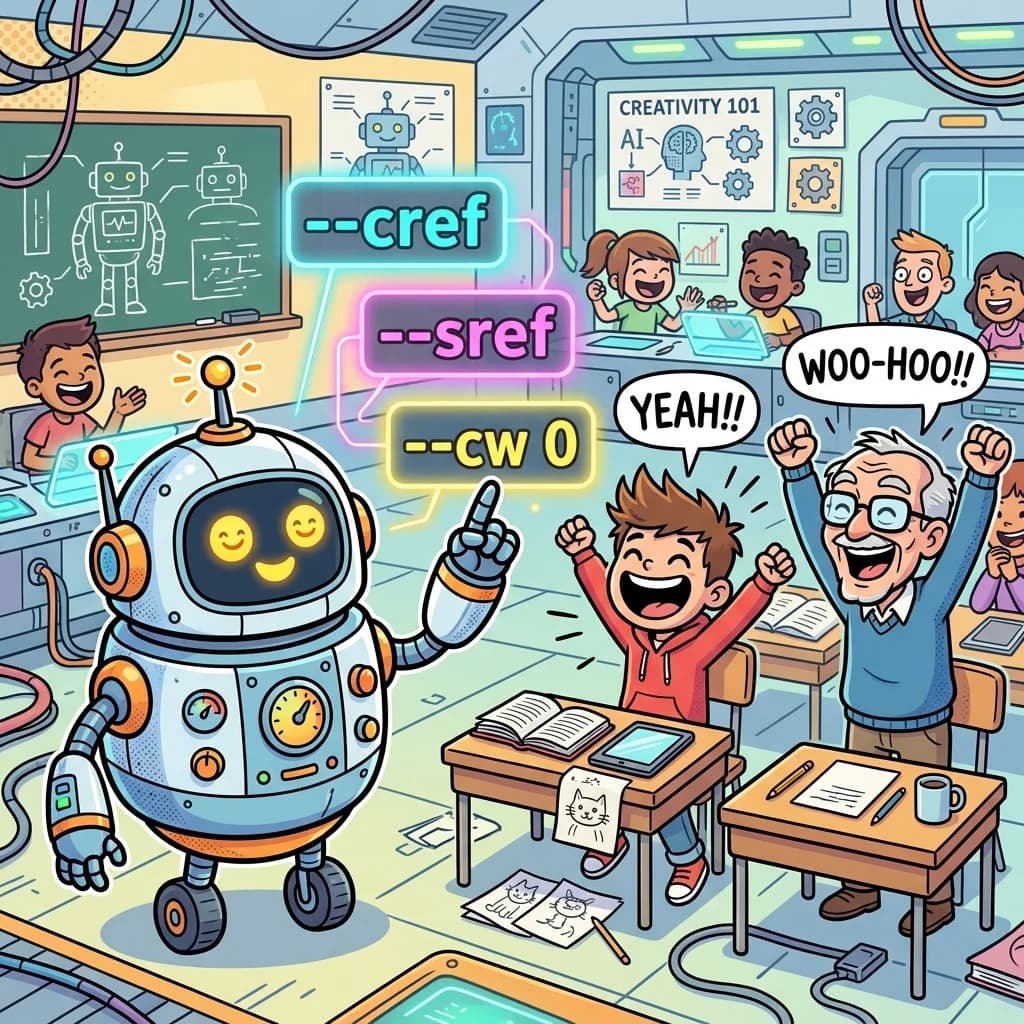
Ai Tutor: As A Cute Robot Comedy Story — The Ultimate Prompt Engineering Saga 🤖🎒
Think AI cartoon generation is just a magical genie that reads your mind and instantly spits out complete Pixar movies if you just type "make a cool drawing"? Think again! Today, Teacher Santa is pulling the golden master lever on his time-travel teacher's desk. Together with Student Banta (the resident Gen Z meme legend) and Grandpa (the boomer with absolute zero digital chill), we are launching a highly advanced classroom experiment. Introducing **Tutor-Bot**, a cute, shiny, retro-futuristic AI Robot Tutor who is here to debug our cartoon prompting mainframe! Strap in, fr fr—it's time to code some serious visual prompt rizz!
But before we launch the compilation portal, let's establish the actual facts. Generating consistent cartoon characters in AI engines (like Midjourney, DALL-E, or Stable Diffusion) requires highly specific, structural parameters rather than vague buzzwords. We need to master tags like character references ('--cref'), style references ('--sref'), character weight ('--cw'), and negative prompts ('--no'). Let's unlock the prompting code in 10 hilarious cartoon scenes!
Scene 1: The Magic Genie Misconception 📱

Story Beat: Banta thinks AI is a magic genie that reads your mind and instantly spits out completed Disney movies if you just type "make a cartoon." Tutor-Bot explains that AI requires highly specific structural prompts and parameters to compile a character.
Dialogue:
Student Banta: "Bro, AI is literally a magic genie! You just type 'cool cartoon show' and the mainframe manifests a movie in 2 seconds, no cap!"
Tutor-Bot: *glowing warning light* "Error! Prompt database uncalibrated! Typing vague words compiles total visual noise. Let's learn structural prompting, fr!"
Grandpa: "Genie? I remember when we had to draw cartoons on flip-books, boy! It took 15 hours just to make a stick figure wave!"
Alt Text: Student Banta gesturing wildly at a glowing smartphone, while a cute round robot with blinking lights corrects him.
Prompt: Vibrant vector cartoon. Student Banta shouting at a cute, round, glowing retro-futuristic robot tutor with expressive emoji eyes, while Teacher Santa watches with a smirk. Bold outlines, bright pastel yellow background, handwritten 3D caption "Prompt Uncalibrated!".
Handwritten Caption: "Prompt Uncalibrated!"
Hashtags: #AiCartoonPrompts #CuteRobot #MemeSchool #TechComedy #Dykbro
Scene 2: Locking the Aspect Ratio 📐

Story Beat: Tutor-Bot teaches the aspect ratio parameter. Banta tries to force a landscape image into a vertical Shorts layout, resulting in a comically squished cartoon panda.
Dialogue:
Tutor-Bot: "Command one: set aspect ratio! Add '--ar 9:16' for vertical Shorts or '--ar 16:9' for horizontal banners!"
Student Banta: *types on tablet* "Yo, I forgot the ar command and my cute panda cartoon looks completely squished! He looks like a vertical pancake, fr!"
Grandpa: "Pancake? Excellent! Is the school cafeteria serving breakfast, Tutor-Bot?"
Alt Text: A cute round robot pointing to aspect ratio commands on a screen, beside a comically flattened and squished cartoon panda drawing.
Prompt: Expressive cartoon scene. A cute round robot pointing to '--ar 9:16' on a glowing screen, while a tablet shows a comically flattened, squished cartoon panda, Banta looking shocked. Bold black outlines, rich pastel pink background, handwritten 3D caption "Ratio Glitch!".
Handwritten Caption: "Ratio Glitch!"
Hashtags: #AspectRatio #MidjourneyHacks #VisualRatios #SchoolFails #Dykbro
Scene 3: Style Reference Locked 🎨

Story Beat: Banta's cartoon backgrounds keep changing styles. Tutor-Bot introduces the '--sref' (Style Reference) tag to lock in the pastel comic aesthetic across all generations.
Dialogue:
Tutor-Bot: "Style drift detected! To lock in your color palette and bold line weight, append '--sref' followed by your style seed URL!"
Student Banta: "Ah, bet! Lock in the Neobrutalist pastel vibes! The backgrounds are finally matching, fr!"
Grandpa: "Lock in? I've been locked out of my iPad for three years because I forgot the password!"
Alt Text: A cute robot holding a glowing brush, splashing uniform pastel colors across multiple comic boards floating in mid-air.
Prompt: Comical flat cartoon. A cute robot holding a neon glowing paintbrush, spray-painting the same pastel background across multiple hovering cartoon panels, Banta cheering. Bold lines, rich pastel teal background, handwritten 3D caption "Style Seed Locked!".
Handwritten Caption: "Style Seed Locked!"
Hashtags: #StyleReference #ConsistencyCode #VisualDesign #RetroComic #Dykbro
Scene 4: Character Reference Clones 👤

Story Beat: Banta tries to generate the same character in different poses, but the character morphs. Tutor-Bot compiles the '--cref' (Character Reference) tag to clone the face.
Dialogue:
Tutor-Bot: "Character morphing glitch! To keep your hero consistent, use '--cref' followed by the original image URL! This copies the face graphics!"
Student Banta: "Bet! Now my orange cat astronaut has the exact same cute green eyes in every pose! We cloned him, fr!"
Grandpa: "Cloning cats? My backyard is already full of stray felines, Tutor-Bot! We don't need a digital cat factory!"
Alt Text: A cute robot compiling a code sheet while three identical cartoon cat astronauts in different poses float in bubbles.
Prompt: Expressive vector comic. A cute robot compiling a code sheet while three identical cute orange cat astronauts in different action poses hover in bubbles, Banta pointing in joy. Bold black borders, vibrant pastel coral background, handwritten 3D caption "Character Cloning W!".
Handwritten Caption: "Character Cloning W!"
Hashtags: #CharacterReference #MidjourneyCref #AiPromoting #MemeFaces #Dykbro
Scene 5: Tuxedo Astronaut Lag 👕

Story Beat: Tutor-Bot explains the character weight parameter. Banta wants to put his character in a new outfit, but copies the spacesuit because he left '--cw' at 100.
Dialogue:
Tutor-Bot: "Control character weight! '--cw 100' copies face AND clothes. Set '--cw 0' to copy ONLY the face, so you can change outfits!"
Student Banta: "Oh! I left it at 100 and my space astronaut is trying to wear a tuxedo over his spacesuit! He looks absolutely dripless!"
Grandpa: "Dripless? Back in my day, a good wool sweater was all the drip we needed!"
Alt Text: An orange cartoon cat awkwardly wearing a black tuxedo over a bulky white space astronaut suit, looking very uncomfortable.
Prompt: Comical flat cartoon. A cute orange cartoon cat wearing a bulky spacesuit with a formal black tuxedo awkwardly stretched over it, looking uncomfortable, the cute robot facepalming. Bold outlines, pastel yellow background, handwritten 3D caption "Tuxedo Astronaut Lag!".
Handwritten Caption: "Tuxedo Astronaut Lag!"
Hashtags: #CharacterWeight #PromptEngineering #VisualComedy #TechHumor #Dykbro
Scene 6: Buzzword Overload 🤐

Story Beat: Banta types "make it photorealistic epic 8k masterpiece." Tutor-Bot's gears grind, producing a smoking error because vague buzzwords confuse the AI engine.
Dialogue:
Student Banta: "Let me type: 'hyperrealistic photorealistic hyperdetailed masterpiece 8k' to max out the quality, fr!"
Tutor-Bot: *gears grinding, smoke puffing* "Error! Quality keyword overload! AI engines prefer descriptive concrete details like: 'flat vector illustration, bold strokes, pastel cream background'."
Grandpa: "Sounds like my engine after I put vegetable oil in the gas tank!"
Alt Text: The cute round robot releasing a puff of gray smoke from its head, while a list of banned buzzwords appears crossed out on Banta's tablet.
Prompt: Funny flat vector comic. The cute round robot releasing a comical puff of gray smoke from its head with spiraling cartoon eyes, while Banta holds a tablet showing a list of banned words like "8K Masterpiece". Bold borders, bright pastel colors, handwritten 3D caption "Buzzword Overload!".
Handwritten Caption: "Buzzword Overload!"
Hashtags: #PromptFormulas #QualityTips #Dalle3Hacks #MemeSchool #Dykbro
Scene 7: Max Chaos Surfer 🌀

Story Beat: Tutor-Bot introduces the Chaos parameter, which controls variation. Banta maxes it out, turning a simple dog into a surfing cyber-cerberus.
Dialogue:
Tutor-Bot: "Add the Chaos dial! A high '--chaos 50' parameter introduces unexpected variations and wild artistic deviations!"
Student Banta: *sets chaos to 100* "Bro, I maxed out the chaos! My simple cartoon dog turned into a spiky three-headed cyber-cerberus riding a surfboard!"
Grandpa: "Finally, a dog that can fetch three newspapers at once! W logic, fr!"
Alt Text: A comical three-headed robotic cyber-dog riding a surfboard over a large wave, while Banta watches with giant wide eyes.
Prompt: Expressive cartoon scene. A cartoon spiky three-headed robotic cyber-dog comically riding a bright yellow surfboard on a pastel wave, while Banta and the robot watch in shock. Bold outlines, bright pastel pink accent, handwritten 3D caption "Max Chaos Surfer!".
Handwritten Caption: "Max Chaos Surfer!"
Hashtags: #MidjourneyChaos #PromptEngineering #AIHacks #AbsoluteChaos #Dykbro
Scene 8: Art Rebel Mode 🤖

Story Beat: Tutor-Bot explains the Stylize parameter. Low stylize stays extremely loyal to text instructions, while high stylize goes wild with artistic expression.
Dialogue:
Tutor-Bot: "Manage artistic stylized output! Set '--s 250' for high artistic expression, or '--s 50' to stay extremely loyal to your literal text instructions!"
Student Banta: "Ah! So low stylize is loyal, high stylize goes full rebel art gallery! Good to know, fr!"
Grandpa: "I've been low-stylize my whole life, Tutor-Bot! Extremely loyal and zero fancy graphics!"
Alt Text: The cute robot tutor wearing a black beret and painting an abstract shapes canvas, while Grandpa salutes in approval.
Prompt: Comical vector drawing. The cute robot wearing a funny beret and mustache, holding an artist's brush in front of a canvas showing a highly abstract cartoon shape, while Grandpa salutes. Bold outlines, pastel colors, handwritten 3D caption "Art Rebel Mode!".
Handwritten Caption: "Art Rebel Mode!"
Hashtags: #StylizeTag #AiConsistencies #ImageParameters #LearningTech #Dykbro
Scene 9: Negative Prompt Shield 🛡️

Story Beat: Tutor-Bot demonstrates the Negative Prompt parameter to remove unwanted details like text or extra limbs. Banta tries to use it to block homework.
Dialogue:
Tutor-Bot: "To exclude unwanted visual components, append the negative command! Typing '--no text, extra limbs' shields your cartoon canvas!"
Student Banta: "Bet! I added '--no homework' but my tablet says 'command not recognized.' The education engine is bricked, fr!"
Grandpa: "I need a '--no lawnmowers' command so I don't have to cut the grass this weekend!"
Alt Text: The cute robot holding a glowing shield labeled '--no', blocking flying sheets of paper, while Banta cheers behind the shield.
Prompt: Funny 2D vector cartoon. The cute robot holding a glowing shield labeled "--no", blocking a shower of random falling homework sheets and text characters, while Banta cheers behind it. Bold outlines, warm pastel tones, handwritten 3D caption "Negative Prompt Shield!".
Handwritten Caption: "Negative Prompt Shield!"
Hashtags: #NegativePrompts #PromptShield #MidjourneyNo #AiDesign #Dykbro
Scene 10: Prompt Fully Compiled 🚀

Story Beat: The lesson is compiled, warping the classroom back to the future, but they land comically inside the school cafeteria's massive aquarium fish tank.
Dialogue:
Tutor-Bot: "All prompt files compiled! Initializing warp return... *lag spike*... coordinates drifted!"
Student Banta: *completely drenched inside the fish tank, giving a thumbs up* "Well, we landed in the aquarium lobby again, but our prompt engineering database is fully calibrated! Tutor-Bot is officially based, fr!"
Grandpa: *wringing out his wet socks* "And I successfully compiled a digital kilt! Absolute W logic, fr fr!"
Alt Text: Banta, Grandpa, and the cute round robot standing wet inside a giant school aquarium fish tank, thumbs-upping the reader through the glass.
Prompt: Comical flat cartoon. Banta, Grandpa, and the cute round robot standing soaking wet inside a giant school aquarium fish tank, thumbs-upping the reader through the glass, while school kids watch in shock from outside. Bold outlines, vibrant pastel comic style, handwritten 3D caption "Prompt Fully Compiled!".
Handwritten Caption: "Prompt Fully Compiled!"
Hashtags: #WarpFails #AquariumLanding #AiLearningW #AbsoluteChaos #Dykbro
🤖 THE PROMPT COMPILER CHEAT SHEET 🤖
While our robot tutor makes us laugh, consistent character generation in modern image engines is a genuine technical skill. Here is the unexaggerated fact sheet on how Midjourney's parameter engine actually operates:
- Character Reference (--cref): This parameter copies facial architecture from a source image URL to your new prompt. It is designed specifically to maintain face consistency. Note that '--cref' works best on Midjourney native generations and does not perfectly replicate real human faces or complex photography.
- Character Weight (--cw): This modifier dictates what features are copied from your character reference. '--cw 100' is the default and copies the face, hair, and clothing. '--cw 0' copies ONLY the face, which is the industry standard parameter for putting the same character in different outfits or environments.
- Style Reference (--sref): Locking in color schemes, brush weights, and textures requires the '--sref' tag. By referencing a style seed image URL, the model ignores default styles and conforms 100% to your defined visual theme (e.g., retro Neobrutalist cartoon).
- Parameters Control: Parameters must always be appended at the very end of your prompt, preceded by double hyphens. Vague aesthetic descriptors like "8K masterpiece" are ignored by neural weights; engines perform vastly better when you use concrete, literal style terms (e.g., "bold black outlines, vibrant flat cartoon illustration, pastel cream background").
📹 30-SECOND SHORTS/REELS VIRAL SCRIPT 📹
Title: Stop Typing "8K Masterpiece" in AI! 🤖🎨
Visual/Audio Workflow:
| Time | Visual Action | Audio/Voiceover |
|---|---|---|
| 0:00 - 0:05 | Banta screaming "photorealistic 8k epic!" while the robot tutor puffs smoke in panic. | Voiceover: "Still typing 'photorealistic 8k masterpiece' to get good AI art? Banta thinks it's a magic genie! But you're actually just bricking the engine, fr!" |
| 0:05 - 0:12 | Tutor-Bot pointing to spiky spacesuit tuxedo cat astronaut. | Voiceover: "Stop the buzzwords! Use concrete details like: 'flat vector illustration, bold strokes'. And to change outfits without losing your character's face, set '--cw 0'!" |
| 0:12 - 0:20 | Grandpa looking at matching bubbles showing the same cat astronaut in different poses. | Voiceover: "Character morphing? Clone their face using double hyphen cref followed by your image link! That locks character consistency, fr!" |
| 0:20 - 0:25 | Tutor-Bot holding a glowing shield blocking random falling homework pages. | Voiceover: "Backgrounds drifting? Append sref for style reference! And block unwanted junk with double hyphen no followed by your negative keywords!" |
| 0:25 - 0:30 | Banta and Grandpa wet inside a giant aquarium tank, giving a thumbs up. | Voiceover: "From squished vertical pancakes to Chaos surfer cyber-dogs! Subscribe to dykbro and compile your prompt rizz, no cap!" |
📲 PLATFORM VIRAL CAPTIONS 📲
📺 YouTube Shorts Caption:
Stop typing '8K Masterpiece' in AI! 🤖🎨 Tutor-Bot enters the classroom to show Banta and Grandpa how to actually code cartoon prompts! Learn how double hyphen cref clones character faces, how setting cw to 0 lets you change outfits, and why concrete descriptors out-perform vague buzzwords! Subscribe for more prompt rizz, fr! #Shorts #MidjourneyTutorial #AiCartoonPrompts #CharacterConsistency #Dykbro #GenZHumor
🎵 TikTok Caption:
Your prompt is uncalibrated, fr fr! 💀 Stop typing 'photorealistic epic' and start prompting like a developer! 🤖 Code your character faces with cref, lock visual styles with sref, and adjust outfits with cw 0. 100% real prompting hacks with maximum Gen Z aura! 🏜️🎒 #AiCartoonPrompts #MidjourneyConsistency #MemeSchool #LearnOnTikTok #PromptEngineering #Dykbro
📸 Instagram Reels Caption:
When AI prompting enters sandbox mode! 🏜️ Join Tutor-Bot, Banta, and Grandpa as they debug the visual mainframe! Did you know using concrete terms like 'flat vector, bold outlines' beats photorealistic buzzwords 1000%? Master character weight, negative prompt shields, and max chaos🏄♂️. #AiIllustrations #MidjourneyParameters #ConsistentCharacters #DigitalArtTech #MemeFaces #Dykbro
👥 Facebook Reels Caption:
Unlock the secrets of consistent AI characters! 🤖 Mr. Santa brings a cute robot tutor to show Banta and Grandpa how to compile clear parameters. Learn the real mechanics of character weight, aspect ratios, style references, and negative shields. Wholesome, highly educational technology comedy. #AiPrompts #EducationalComedy #ConsistentArt #MidjourneyHacks #ParentingHacks #DykbroFamily
❓ AI PROMPTING CRASH COURSE FAQ
Q: What is the difference between cref and sref in Midjourney?
A: Character Reference (--cref) is designed to match facial features and hair structure of a specific character across scenes. Style Reference (--sref) matches the artistic theme, color palette, line weight, and background texture. Combined, they create uniform characters in uniform worlds, fr!
Q: How does character weight (--cw) help in cartoon storytelling?
A: By default, '--cw 100' copies the character's face, hair, and their specific clothing. If your character goes from the classroom to the beach, they'll awkwardly wear a heavy sweater on the sand! Setting '--cw 0' tells the engine to copy ONLY the face, allowing you to dress them in a swimsuit, fr fr!
Q: Why are vague adjectives like "epic" bad for prompt compilers?
A: Vague descriptors have low semantic weight and do not convey shape, form, or concrete details. The engine guesses what "epic" means, often producing messy styles. Concrete nouns and adjectives (e.g. "flat vector, spiky hair, pastel yellow background") compile with 100% higher stylistic accuracy, no cap!
Conclusion: Lock In Your Prompting Mainframe! 🤖👑
AI cartoon prompts are not magical genies, gray buzzword strings, or ancient boomer flip-books. Scribes and engineers would be jealous of Tutor-Bot's trillion-bit prompt compiler, which organizes parameters in milliseconds. By mastering character references, outfit weights, style references, and negative shields, we appreciate the true cognitive aura of prompt engineering. Stop writing vague buzzwords—lock in, stay based, and download the full prompting database at dykbro! fr fr!